
Audit and Logging
Your compliance audit is in three weeks. The auditor wants to know who accessed patient records, what changed, and when. How quickly can you answer?
Most clinical systems treat audit trails as an afterthought — a log table someone bolted on after the fact. When the regulator asks for a full history of PHI access events, the answer is a scramble of log files, database queries, and gaps nobody noticed until that moment.
In Atomik, audit is not an add-on. Every write to clinical or demographic data automatically produces a structured, queryable audit record — who committed, what changed, when, from which system, and what type of change it was. It's built into the data model, not appended to it.
Two layers of logging
Atomik maintains two complementary audit layers that together cover the full picture regulators and security teams require:
🖥️ System logs
Every action performed via the Web Console or REST API — who the user is, what operation they performed, and from which IP. Answers security questions: "Who logged in last Tuesday?", "Which API user queried patient records at 3am?"
🏥 Domain logs (openEHR AUDIT_DETAILS)
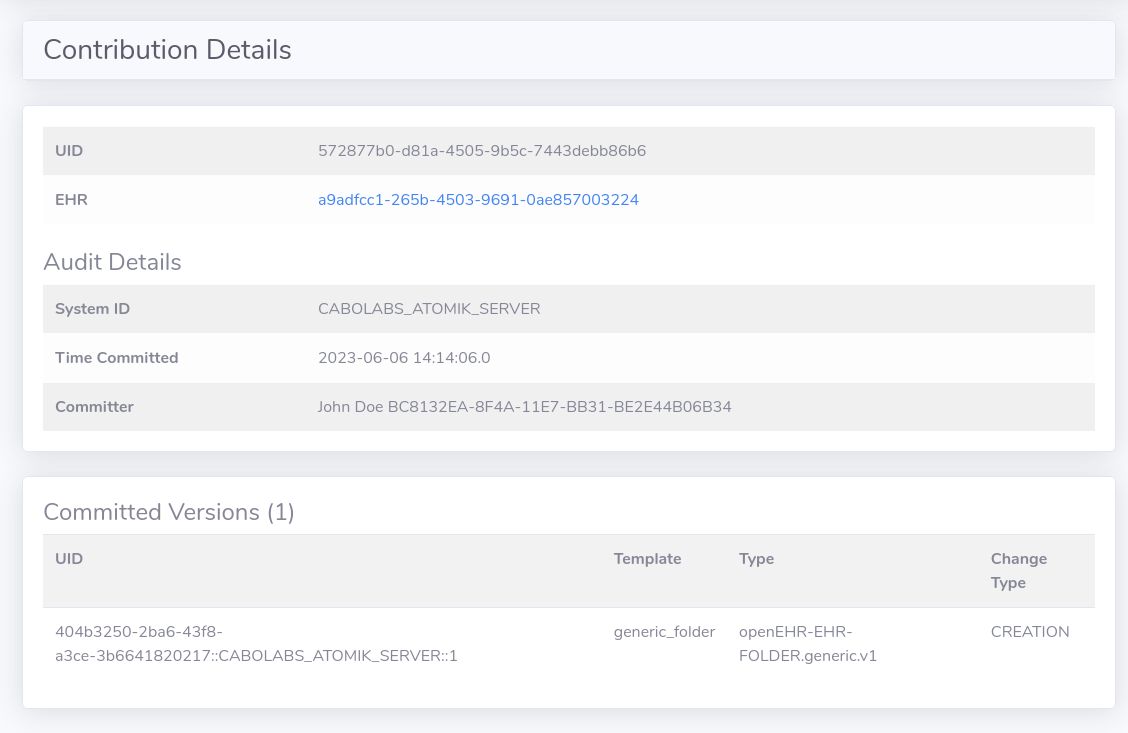
Every creation, modification, amendment, or deletion of clinical or demographic data — attached directly to each VERSION of each record. Answers clinical and compliance questions: "What did this record contain before it was amended?", "Who made this change and why?"
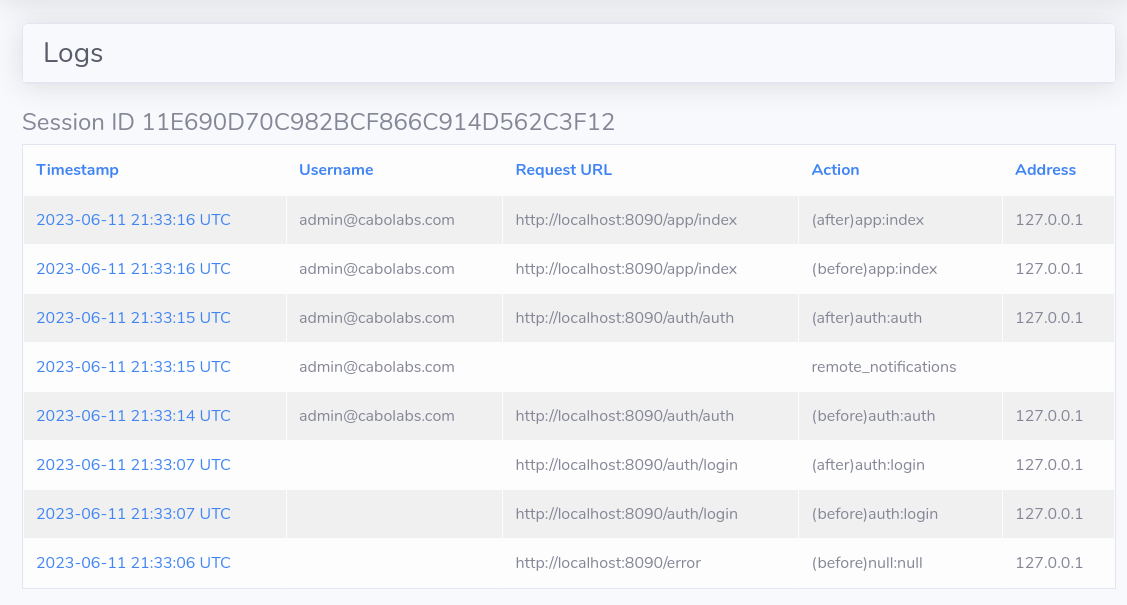
How domain audit works
When any openEHR object is created or modified (COMPOSITION, EHR, FOLDER, PERSON, etc.), Atomik automatically creates a CONTRIBUTION and a VERSION. The VERSION contains the object itself. Both the CONTRIBUTION and VERSION get an AUDIT_DETAILS record attached — capturing:
- The originating system ID
- The commit timestamp
- The change type:
creation,modification,amendment, ordeleted - An optional human-readable description of the change
This structure means the audit trail is not separate from the data — it is woven into every version of every record. You can't modify a clinical record without producing an audit entry. There is no way to accidentally skip it.
For the full openEHR audit specification see the RM specification.